How VIBE fits together
VIBE is not one search box. It is a connected system that reads your Shopify catalog, builds a searchable copy of it, serves several storefront discovery experiences, and records the anonymous activity you use to improve results.
Use this guide before changing several settings at once. It explains what each layer does, why it exists, and which later layers a change can affect.
The five layers
Section titled “The five layers”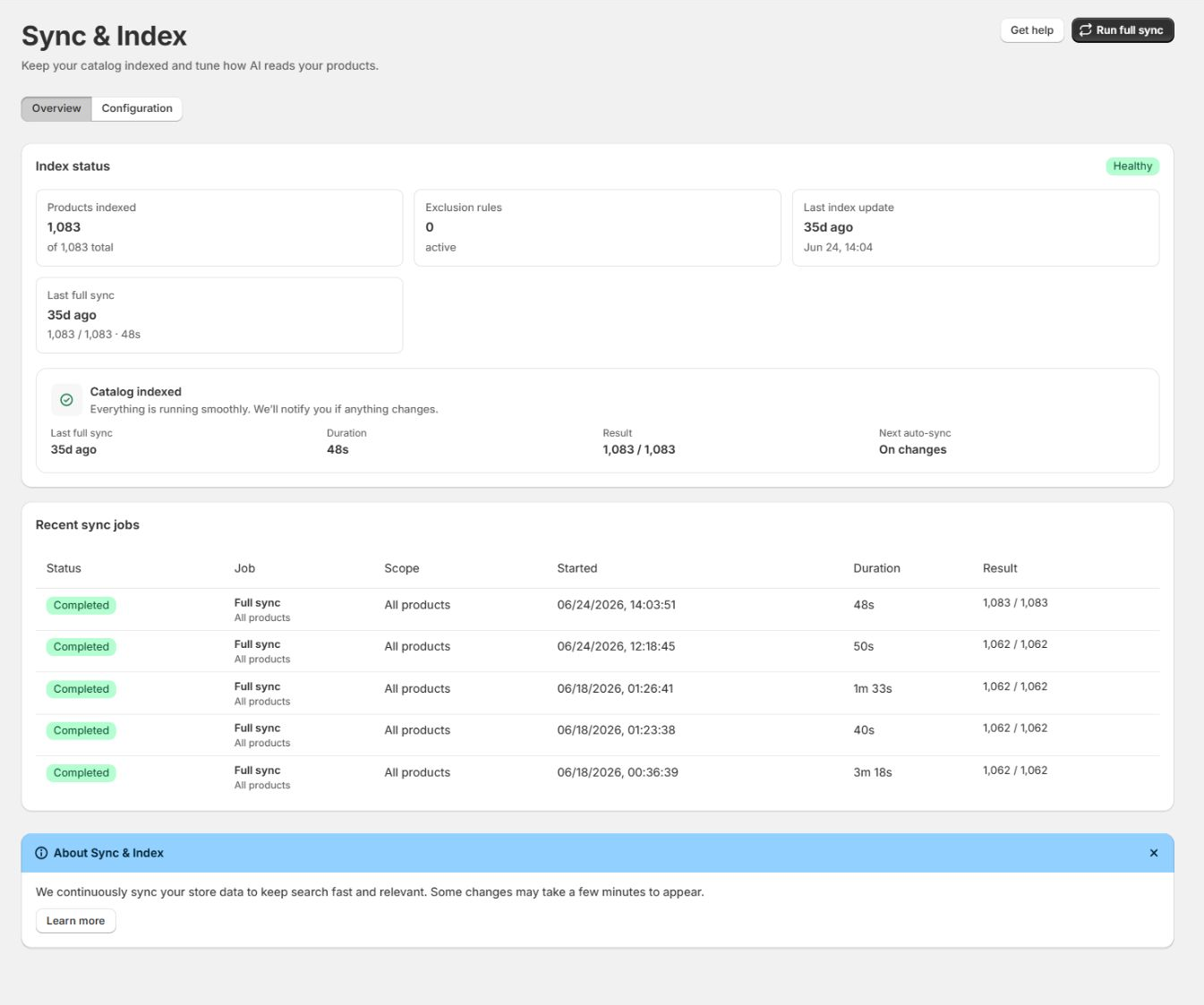
1. Shopify is the source of catalog truth
Section titled “1. Shopify is the source of catalog truth”VIBE does not replace Shopify product administration. If a product title is wrong, a variant is missing, or an item is not published to the Online Store, fix the source in Shopify first.
This layer answers: what exists, and can VIBE show it on the storefront?
Shopify owns the product, variant, collection, inventory, publication, image, tag, metafield, market, language, page, and article data VIBE reads.
2. VIBE builds a searchable copy of your catalog
Section titled “2. VIBE builds a searchable copy of your catalog”VIBE turns the Shopify data it can show into records built for fast keyword, meaning-based, variant, collection, and image matching. You manage this in VIBE’s Sync and Index page.
How VIBE reads your products decides which signals are available:
- Product text and structured details.
- Product and context images.
- Collections.
- Variants and their options.
- Catalog-understanding preference.
- Catalog exclusions and out-of-stock behavior.
This layer answers: what can VIBE find, and what information can it use?
3. Relevance and merchandising decide order and destination
Section titled “3. Relevance and merchandising decide order and destination”When a shopper searches or explores, VIBE combines the signals in its copy of your catalog with the current request:
- Query words and meaning.
- Selected collection.
- Explore control positions.
- Exact Shopify filters.
- Active result rules.
- Availability handling.
- Plan-enabled search capabilities.
This layer answers: which results should appear, in what order, and whether the shopper should go somewhere else instead.
Rules can deliberately change the natural result:
- Boost and bury change relative order.
- Pin assigns a fixed position.
- Behavioral ranking uses query-specific shopper response.
- Synonyms expand equivalent language.
- Redirects send the shopper to another destination.
4. Appearance and theme integration decide presentation
Section titled “4. Appearance and theme integration decide presentation”Appearance settings change presentation and discovery content. They do not normally change whether a product is in VIBE’s copy of your catalog or its base relevance.
This layer answers: where and how does the shopper see the result?
The same ranked result can be shown through different storefront surfaces:
- VIBE quick-search overlay with VIBE cards.
- VIBE quick-search overlay with theme product cards.
- The theme’s predictive-search surface with VIBE results.
- The VIBE full search page with VIBE cards.
- The VIBE full search page with theme cards.
- Explore, Similar, Your Vibe, and image-search views.
5. Events and analytics close the loop
Section titled “5. Events and analytics close the loop”The storefront records anonymous search and discovery events such as requests, result impressions, clicks, cart adds, filters, and purchases VIBE helped create. Analytics turns those events into reports.
Use those reports to identify a problem, inspect it in Search Preview, make the smallest suitable change, and measure the result over a meaningful period.
This layer answers: what did shoppers do, and what should you improve next?
End-to-end request flow
Section titled “End-to-end request flow”When a shopper searches for light waterproof jacket, the normal flow is:
- The storefront starts or continues an anonymous 30-minute shopper visit.
- Quick search or the search page sends the query, language, market, selected controls, collection, and filters that apply.
- VIBE searches its own copy of your catalog.
- Keyword and meaning-based signals produce candidate products and collections.
- Exact filters remove records that do not meet factual constraints.
- Explore controls adjust preference-based ranking.
- Result rules apply their configured business decision.
- Out-of-stock handling affects which products can show or their order.
- The selected storefront surface renders the result using VIBE or theme cards.
- Impressions, clicks, cart adds, and later paid orders feed Analytics with the sales VIBE helped create.
If the result is wrong, locate the first layer where reality differs from expectation. Fixing a later layer can hide an earlier problem without resolving it.
What changes immediately
Section titled “What changes immediately”These changes normally affect the next request without rebuilding the catalog:
| Change | Typical effect |
|---|---|
| Enable or disable a result rule | Changes the next matching query |
| Reorder rule priority | Changes which competing rule wins |
| Adjust an Explore control | Changes that shopper’s next Explore request |
| Apply a Shopify filter | Refines the current result set |
| Change a quick-search suggestion toggle | Changes the next storefront configuration load |
| Edit storefront wording or style | Changes presentation after configuration refresh |
| Change out-of-stock display | Changes how available products in VIBE’s copy are filtered or ordered |
Always test the storefront after an immediate change. Browser caching, the selected theme, or the active language can make a correct saved setting look unchanged.
When you need to update VIBE’s copy of your catalog
Section titled “When you need to update VIBE’s copy of your catalog”Ask VIBE to update its copy of your catalog when what is searchable has actually changed:
- A large product import or bulk product edit.
- New or changed titles, descriptions, tags, types, collections, images, metafields, or variants.
- A change to the image sources VIBE uses.
- Turning variant search on or off.
- Enabling or disabling collection search.
- Adding or removing a catalog exclusion.
- Recovering products left out by a partial or failed job.
Normal individual product and inventory changes update automatically. A full catalog refresh is for rebuilding or recovering a broad catalog state, not for every small edit.
What requires a theme check
Section titled “What requires a theme check”Run Appearance > Installation > Re-check my theme when:
- You publish a different theme.
- The theme’s header search or predictive-search implementation changes.
- Product-card markup changes.
- You add, remove, or move the VIBE Search Page app block.
- Theme cards become malformed or disappear.
- A storefront password is added or changed during setup.
Updating VIBE’s copy of your catalog cannot repair a theme selector, the VIBE switch in your theme, an app block, or a product-card rendering problem.
Dependencies that commonly cause confusion
Section titled “Dependencies that commonly cause confusion”Search by image has two separate requirements
Section titled “Search by image has two separate requirements”Image search requires both:
- A working setup that includes a usable image source in VIBE’s copy of your catalog.
- A plan and setting that allow the shopper-facing upload action.
If image vectors are off, the upload setting cannot produce useful results. If images are in VIBE’s copy but the shopper action is off, text search can still use the image signal while the camera button remains hidden.
Theme product cards depend on theme analysis
Section titled “Theme product cards depend on theme analysis”VIBE cards are the safe fallback and work independently of theme-card readiness. Theme cards require VIBE to identify and verify the active theme’s rendering boundary.
Changing from VIBE cards to theme cards changes presentation, not base relevance. If the product order is wrong in both modes, diagnose VIBE’s copy of your catalog, the query, controls, filters, and rules.
See Product cards and search surfaces for the complete comparison of VIBE cards, native theme cards, VIBE and theme search boxes, readiness checks, and fallback behavior.
Explore controls and Shopify filters do different jobs
Section titled “Explore controls and Shopify filters do different jobs”Use Explore controls for preferences with no exact catalog field, such as:
- Minimal to bold.
- Casual to formal.
- Soft texture.
Use Shopify filters for facts, such as:
- In stock.
- Price.
- Size.
- Color.
- Product type.
A control changes ranking along a concept. A filter includes or excludes records by exact values.
Analytics needs real storefront traffic
Section titled “Analytics needs real storefront traffic”Search Preview is diagnostic and does not create normal storefront analytics or billable shopper usage. Empty Analytics tables can be correct when the store is new, the date range has little activity, or a detailed report has not accumulated enough impressions and outcomes.
Revenue VIBE helped create takes time to show
Section titled “Revenue VIBE helped create takes time to show”Search and click events appear before revenue. Revenue is added only after Shopify reports a paid order that matches a VIBE-tracked product and search. Recent periods can continue to change.
The safest order for any change
Section titled “The safest order for any change”- Write down the exact symptom, query, product, page, theme, language, and device.
- Confirm the product or collection is published and available in Shopify.
- Confirm the item is present and current in Sync and Index.
- Reproduce the query in Search Preview.
- Check controls, filters, and active rules.
- Check the selected quick-search or search-page presentation mode.
- Make one targeted change.
- Re-test in Search Preview.
- Re-test on the published storefront on desktop and mobile.
- Measure the result in Analytics after enough real activity.
This order prevents a pin rule from masking an excluded product, a full catalog refresh from being used to fix a theme problem, or a style change from being blamed for a relevance issue.